Blog
4 AI Sticker Generator Tips: Generate Better Designs and Print Them Right

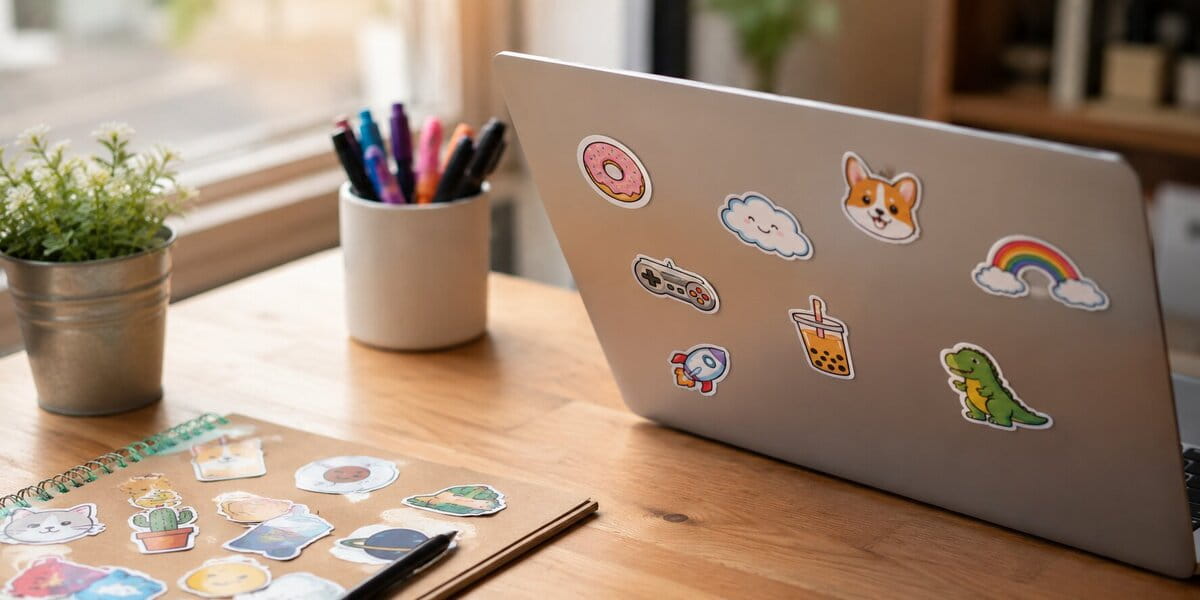
AI sticker generator tools now help turn ideas into sticker designs more quickly. However, AI sticker generator tips become necessary because AI-generated results do not always match your expectations.
Based on experience in custom sticker printing, along with hands-on use of AI in this field, CustomAny has created a list of top 4 AI sticker generator tips. In our article, you will find practical prompt suggestions that help reach your expected results closer and faster. Besides, we also provide tips for printing these designs.
Some AI Tools for Generating Sticker Designs
Several AI sticker generator tools now support both creating and editing sticker designs, which gives you more flexibility during the process. There are several tools, which serve different purposes:
Tools for generating
Tools that can be used as AI sticker generators are Midjourney, ChatGPT, DALL·E, Stable Diffusion,… help turn your text prompts into images.
Related read: “Generate Free Sticker Designs with MidJourney Bot in 1 minute“
Tools for layout and editing
Canva AI, Adobe Firefly, or Figma support you in editing sticker design. For example, you can remove backgrounds, adjust layouts, or refine elements. These tools help clean up your AI-generated designs and prepare them for sticker formats.
Tools for quick adjustments
Some AI sticker generator features that support quick adjustments are in Remove.bg, Clipdrop or Pixlr. With smaller edits such as background removal, color correction, or resizing, your files will be ready for printing.
Combining several AI sticker generators will get you better sticker results as each has its own strengths.
AI Sticker Generator Tips
Whether tools you used, the key to get designs that match your idea the most accurately and consistently is knowing how to work with AI sticker generators. The following AI sticker generator tips will help.
1. Start with an Idea

A clear idea is the start of making stickers using AI since what the tool does is interpret your input.
If you already have an idea, let’s go through these steps:
- Keep the purpose in mind (branding, decoration, packaging…)
- Defining the subject and its characteristics (character/object/text/…)
- Shape the style (cute cartoon/minimal line art/vintage/…)
If you don’t have an idea yet, you can:
- Get inspiration from existing stickers on social media or marketplaces
- Brainstorm from your own use case, whether it is for decoration, gifts, or business, and think about what kind of sticker would fit your needs.
- Use an AI sticker generator to explore a theme or mood by entering broad keywords like “cute animals,” “funny food,” or “minimal icons,” then adjusting these keywords to narrow down your idea.
This starting point is the first AI sticker generator tip that helps you stay more in control.
2. Write Clear and Specific Prompts
Once you have a basic idea, the next AI sticker generator tip is to translate it into a clear prompt that the AI sticker generator can understand. The more clearly you describe your concept, the more accurately your AI tool turns it into a design.
What to include in your prompt:
- Describe the subject clearly (what appears in the design, key elements)
- Describe the style
- Describe the level of detail (simple shapes, clean lines,…)
- Describe color direction (bright, pastel, monochrome…)
- Add composition hints (centered, symmetrical, isolated object…)
For example:
- “cute cartoon cat holding a coffee cup, minimal background, pastel color palette, clean line art, centered composition, white outline sticker style”
- “simple logo-style sticker of a coffee cup with steam, bold lines, minimal design, black and white, centered layout, no background, sticker-ready”
What to avoid:
- Vague prompts like “cool sticker” or “nice design” do not give the AI sticker generator enough direction.
- Mixing too many unrelated ideas in one prompt makes the design cluttered.
- Missing style direction can result in outputs that are either realistic, cartoon, or minimal, but not exactly what you expected.
- Too complex descriptions
For example, “cool sticker of a dog” can lead to inconsistent and unpredictable results. A prompt like “sticker of a coffee cup” can turn out a real photo not a cartoon artwork.
More specific prompts not only make it easier for an AI sticker generator to produce cleaner designs but also require less correction later.
3. Generate Multiple Versions and Compare

Don’t stop at just one version. Generating multiple versions is the next AI sticker generator tip. This way, you can explore different possibilities and see which design comes closest to your original idea.
You can try these approaches to generate useful versions:
- Vary descriptive details: Include different adjectives or focus points in the prompt, like “playful cat” versus “cute kitten,” to see which interpretation fits your idea best.
- Different styles: Add or change style instructions such as “minimal line art,” “bold cartoon,” or “watercolor effect” to explore how the AI visualizes the same subject.
- Sticker shapes and orientations: Mention circular, square, or die-cut shapes to see how the AI adapts the layout to different sticker forms.
Then, review outputs side by side. Compare them carefully, you can see which one has the look, composition, and feeling you want before moving to refinement.
4. Refine the Design
After generating a sticker file with an AI sticker generator, you might notice small details that don’t match your vision perfectly. Once you have the file, refining it to make the design look right is one of the AI sticker generator tips.
Here are some ways to refine your design:
- Simplify details: Remove unnecessary textures, background elements, or extra icons that distract from the main subject.
- Clean up layout: Make sure key elements are properly centered, balanced, and not overcrowded.
- Enhance clarity of the main subject: Increase contrast, adjust colors, or slightly resize central elements so the subject stands out.
- Fix text and fonts: Check spelling, alignment, and readability at small sticker sizes; adjust font weight or spacing if needed.
This AI sticker generator tip gives you a polished sticker design, ready to move to printing.
How to Print the Best Stickers
After refining your AI-generated design, the next step is turning it into a physical sticker. Paying attention to printing details ensures your artwork maintains its quality and looks just as you intended.
5. Check Your Design Before Printing
First, reviewing your design to prevent common issues and ensure the final product matches your vision. Check these elements:
- Text and font: Check spelling and consistency, making sure fonts remain readable.
- Layout: Ensure elements don’t overlap or sit too close to the edges.
- Bleed: Include a proper bleed area around the design to avoid cutting off important details.
- Color model: Convert your file to CMYK to maintain accurate print colors.
- Preview at actual size: Zoom in and out to confirm all details and text remain clear at the sticker’s real dimensions.
6. Print with us
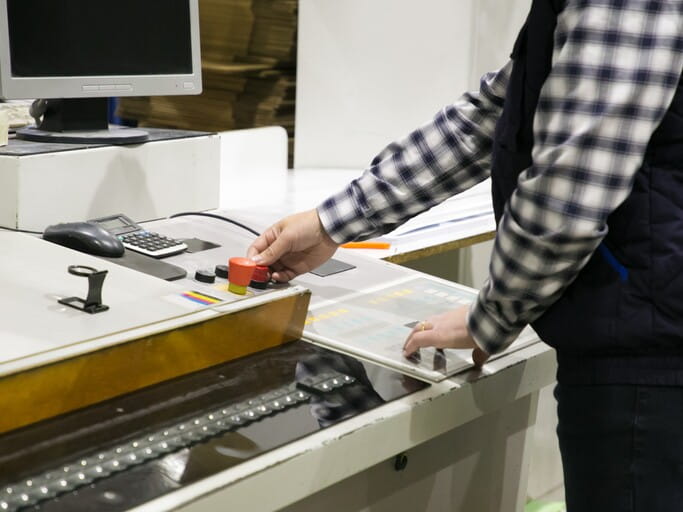
Once your design has been carefully checked and refined, work with us to turn it into stickers. CustomAny‘s printing process allows your details to be maintained sharp and vibrant. With the right material and finishes, the final sticker not only looks professional and polished but also durable over time.
Moreover, you can select custom options like shape, size, and quantity to match your project’s needs precisely. We also offer design support, helping you in adjusting details, colors, or layout before production to make sure everything prints exactly as expected.
Last thoughts
With the AI sticker generator tips we’ve explored together, you can create designs that match your ideas more closely and reach your desired results faster. Follow the tips and get the final high-quality stickers that reflect your vision.